



RoomLift Logo
Start for free

Virtual renovation that shows buyers what a dated listing could be

For listing agents, investors, and real estate photographers

Buyers scroll past a tired kitchen without picturing what is underneath it. A virtual renovation, sometimes called a virtual remodel, takes the existing listing photo and shows the same room with new cabinets, flooring, paint, or an exterior refresh. RoomLift generates it in about a minute from the photo you already have. The walls, windows, and layout stay where they are, and the original photo stays in the listing next to it.

From the existing listing photoKitchens, floors, paint, exteriorsAbout a minute per imageSame room, same layout
Renovate a listing photo

5 Free Renders. Takes 2 min.

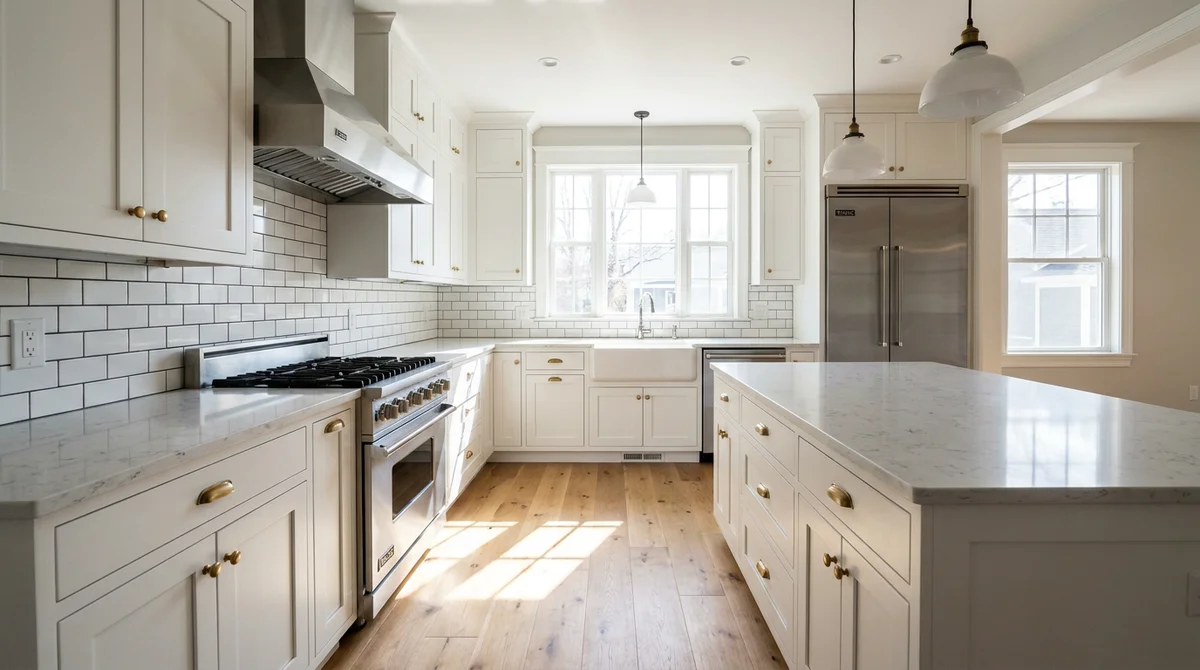
Kitchen after a virtual renovation with white shaker cabinets and oak flooring

60s

About a minute per image

1

Credit per standard image

$39

Pay-as-you-go bundle of 50 credits

4K

Maximum export resolution

One platform · Five tools

A complete creative suite

Everything you need to visualize, present, and sell, from first concept to final delivery.

Restyle any room in seconds

Upload a photo of any interior or exterior and transform it into a completely new style. Choose from 7+ design presets or transfer your own reference image.

  • Interior and exterior support
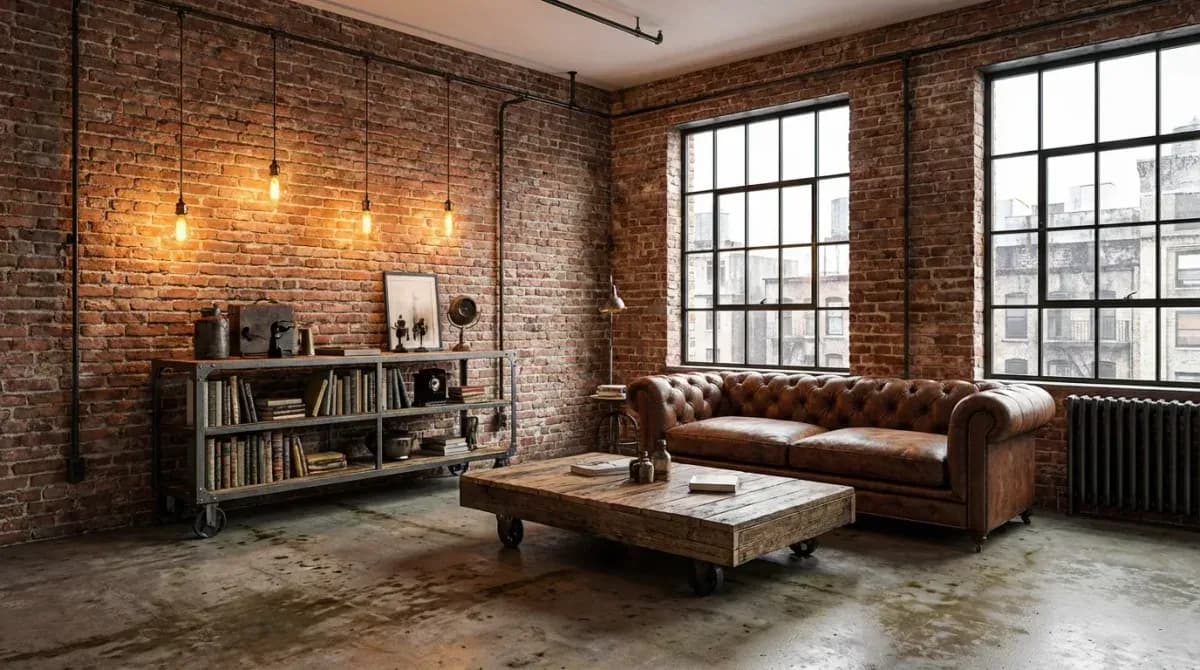
  • 7+ styles: Scandi, Japandi, Modern, Industrial, and more
  • Up to 4K resolution export
  • Multiple variations per generation
  • Custom style transfer from reference images
AI room transformation showing style change

How It Works

No contractor, no 3D model. Start from the listing photo and keep the original for disclosure.

Step 1

Upload the listing photo

Use the existing photo of the dated room or the exterior. JPG, PNG, and WebP all work.

Step 2

Choose the new look

Pick the room type and a style, and add an instruction for the change you want to show, such as new cabinets and oak flooring.

Step 3

Publish it next to the original

Download the result up to 4K, label it as a virtual renovation, and show it alongside the unaltered photo.

See the Transformation

Real results generated by RoomLift AI

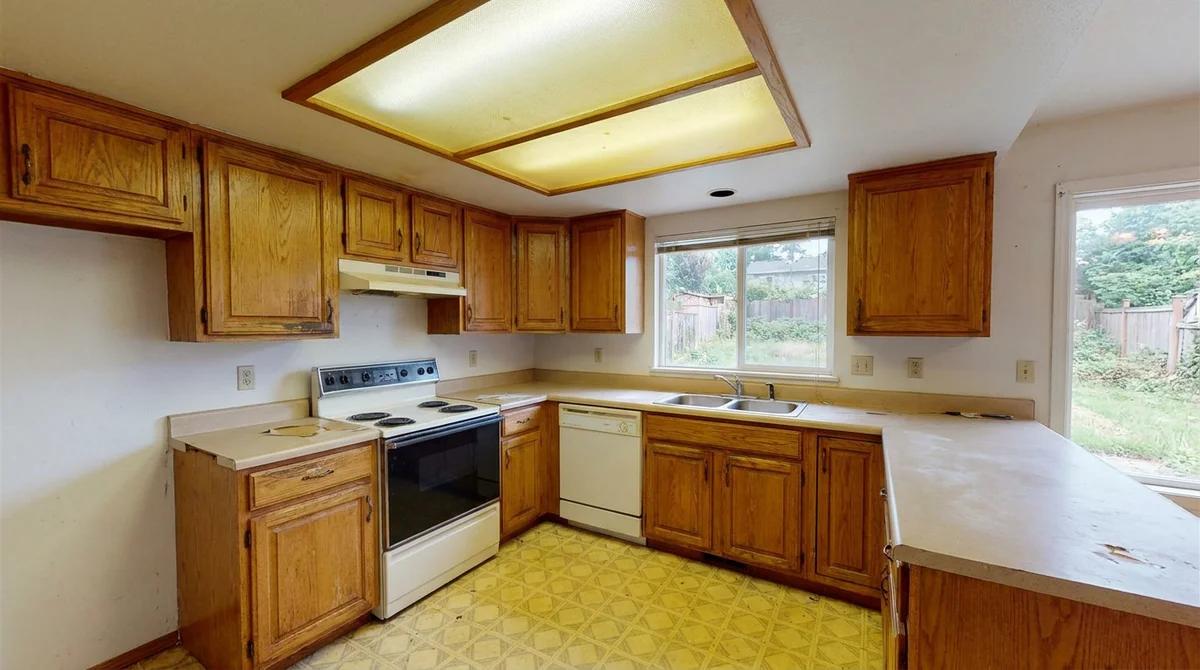
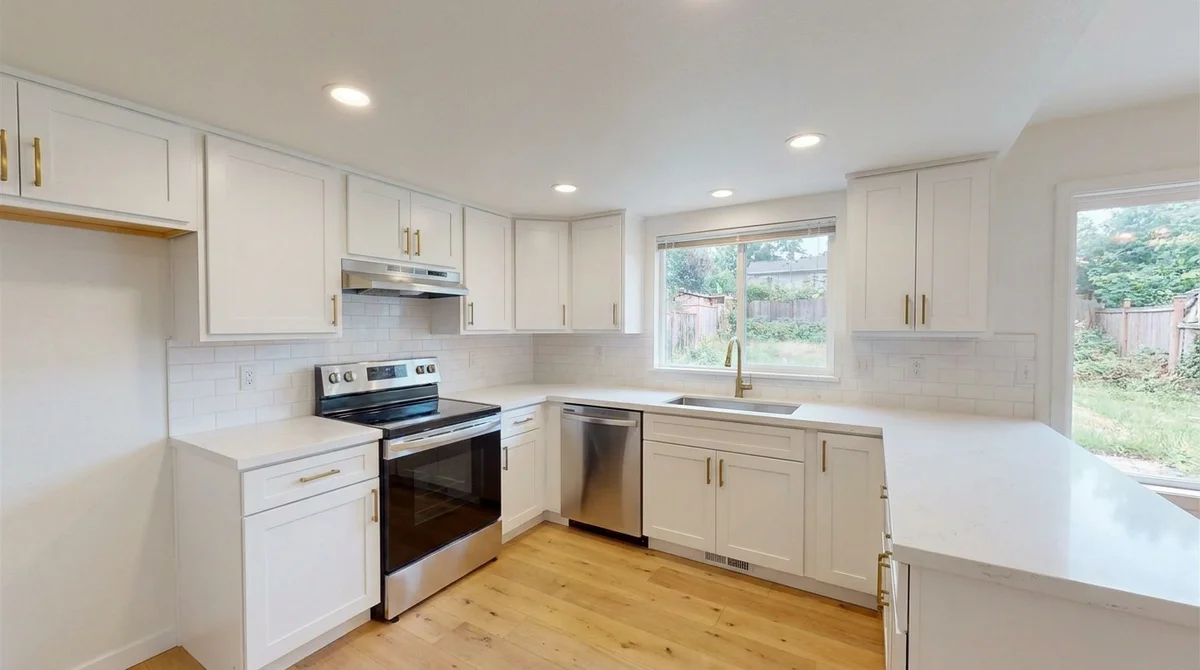
The same dated kitchen before and after a virtual renovation
BeforeAfter

Why Professionals Choose RoomLift

Works from the photo you already took

No floor plan and no model. Upload the listing photo and the renovation is generated on that exact room, from the same camera angle.

Kitchens and bathrooms

Swap worn cabinets, laminate counters, and old fixtures for a current finish, so buyers see the room they would end up with instead of the one they have to rip out.

Flooring and paint

Replace carpet with wood, refresh a dated wall colour, or brighten a dark room. These are the low-cost updates buyers find hardest to imagine.

Exterior refresh

Exterior mode restyles the facade, paintwork, and landscaping from a street photo, useful when curb appeal is what holds a listing back.

Several directions per room

Generate the same room in two or three styles and let the seller or buyer compare. Each version is another generation, not another order.

Original and renovated, side by side

Download both versions and publish them together. A clear before and after is the honest way to show potential, and the most persuasive.

Selling the potential of a dated listing

A fixer-upper asks buyers to do two things at once: judge the property and imagine the work. Most cannot do the second, so the dated kitchen or the worn carpet becomes the whole impression. Virtual renovation in real estate solves the imagination half. It puts a realistic after next to the real before, from the same camera position, so the buyer sees a kitchen that needs new fronts instead of a house that needs everything.

RoomLift is self-serve software for this. You upload the listing photo, choose the change, and get the image in about a minute. No designer is involved and nothing is measured, so treat the result as an illustration of potential and not as a design.

Virtual renovation, virtual staging, or a real remodel?

The three are often confused. The table shows what each one changes and what it asks of you.

Virtual renovation compared with virtual staging and a physical renovation
FactorVirtual stagingVirtual renovationPhysical renovation
What changesFurniture and decor are addedFixed finishes: cabinets, flooring, paint, facadeThe property itself
Starting pointPhoto of an empty or sparsely furnished roomPhoto of a dated room or exteriorContractor, budget, and schedule
TimeAbout a minuteAbout a minuteWeeks to months
What it showsHow the room can be lived inWhat the property could becomeThe finished result
DisclosureLabel as virtually stagedLabel as altered and show the originalNot needed

Need furniture in an empty room instead of new finishes? That is virtual staging for real estate. For decluttering, sky, and light corrections, see AI real estate photo editing.

What to show: kitchens, floors, paint, and exteriors

Pick the one or two rooms that put buyers off. Kitchens and bathrooms carry the most weight, followed by flooring and wall colour in the main living space. Outside, a repainted facade and tidy landscaping change the first photo in the listing, which decides whether the rest get seen. Keep each renovation plausible for the price bracket: a mid-range kitchen in a mid-range home, not a showroom.

For agents, investors, and photographers

Listing agents use it to win and market dated properties without asking the seller to pay for work. Investors and flippers use it to present the upside of a purchase to partners or lenders before a contractor is booked. Real estate photographers and media companies sell it as an add-on to the shoot, delivered with the standard photo set.

Disclosure, and what virtual renovation is not for

Label every virtually renovated image, and publish the original photo of the same room next to it. Never use it to hide a defect: stains, cracks, damp, and damage stay in the picture, and room sizes, windows, and views stay as they are. The same principles as staging apply, and the virtual staging legal guide covers MLS rules and the NAR Code of Ethics.

For a facade or garden refresh, see AI house exterior design.

Frequently Asked Questions

Everything you need to know about RoomLift, for designers, agents, and anyone transforming spaces with AI.

What is virtual renovation?
Virtual renovation is a digitally altered listing photo that shows what a room or exterior could look like after updating: new kitchen cabinets, flooring, paint, or landscaping. Unlike virtual staging, which adds furniture to a room, it changes fixed finishes. It shows potential, not the current condition, so it must be labeled.
What is the difference between virtual renovation and virtual staging?
Virtual staging furnishes a room and leaves the property as it is. Virtual renovation changes finishes that are part of the property, such as cabinets, floors, and wall colour. Because it shows something that does not exist yet, the disclosure standard is stricter: label the image and always show the original.
Do I have to disclose a virtual remodel in a listing?
Yes. Label every altered image as a virtual renovation or as digitally altered, and include the original photo of the same room. Most MLSs require altered photos to be identified, and Article 12 of the NAR Code of Ethics requires a true picture in advertising. Check your own MLS rules, because they differ.
What should virtual renovation not be used for?
Hiding defects. Do not remove water stains, cracks, damp, damaged flooring, power lines, or a neighbouring building, and do not change room sizes, windows, or views. A virtual renovation should show a finish the buyer could realistically install, in a room that is otherwise shown as it is.
Is the result a renovation plan or a quote?
No. It is a marketing image. It does not account for structure, plumbing, wiring, permits, or cost, so do not present it as a specification or as a promise of what a renovation will cost or look like.
Who uses virtual renovation in real estate?
Listing agents marketing dated or fixer-upper homes, investors and flippers presenting a property's upside before work starts, and real estate photographers who offer it as an add-on to a shoot.
How much does a virtual renovation cost?
A standard image is 1 credit, Pro quality 3, and 4K 5. Pay-as-you-go is $39 for 50 credits or $79 for 120, and subscriptions run from $19 a month for 100 credits to $199 a month for 3,000.
Start designing for free

No credit card required. 5 free renders included.