How to Make a Real Estate Listing Video (No Videographer)
Jul 29, 2026 · 12 min read
A real estate video maker turns your listing photos into a finished video without a videographer: pick the aspect ratio, script a voiceover, add music.
You do not need to hire a videographer to make a real estate listing video. A real estate video maker can turn the listing photos you already have into a finished video: choose the right aspect ratio for each channel, write a short script, and run the photos through a tool that adds AI camera motion, voiceover, and music. Done well, the whole process takes minutes rather than the days a video shoot requires, and it costs a fraction of the $300-$500 a videographer typically charges per listing.
This guide walks through exactly how to do it, from gathering photos to exporting for MLS, Reels, and TikTok, and compares the three realistic paths: hiring a videographer, using a generic video editor, or generating the video from your existing photos.
What You Need Before You Start
You do not need new photography to make a listing video. You need photos that are already good enough to list the property, which almost every agent has by the time a listing goes live.
Gather:
- 10-20 listing photos covering the exterior, main living areas, kitchen, primary bedroom, and bathrooms. More rooms in the video means more of the property gets seen, the same logic that makes photographers charge per room for virtual staging upsells.
- Property details: address, price, square footage, bed/bath count, and one or two standout features (a renovated kitchen, a pool, a view). These become your script.
- A consistent light source across photos. Video stitched from photos shot at wildly different times of day looks disjointed. If your photos are mismatched, run them through a quick edit pass first so the video reads as one continuous tour.
If your photos don't meet MLS photo requirements yet, fix that first. A listing video built from soft or crooked source photos will always look like a soft, crooked video; AI motion and voiceover cannot fix bad inputs, only present good ones better. Occupied listings with clutter or awkward furniture placement are worth a quick pass through real estate photo editing before they become video source material too.
Choose Your Format and Aspect Ratio First
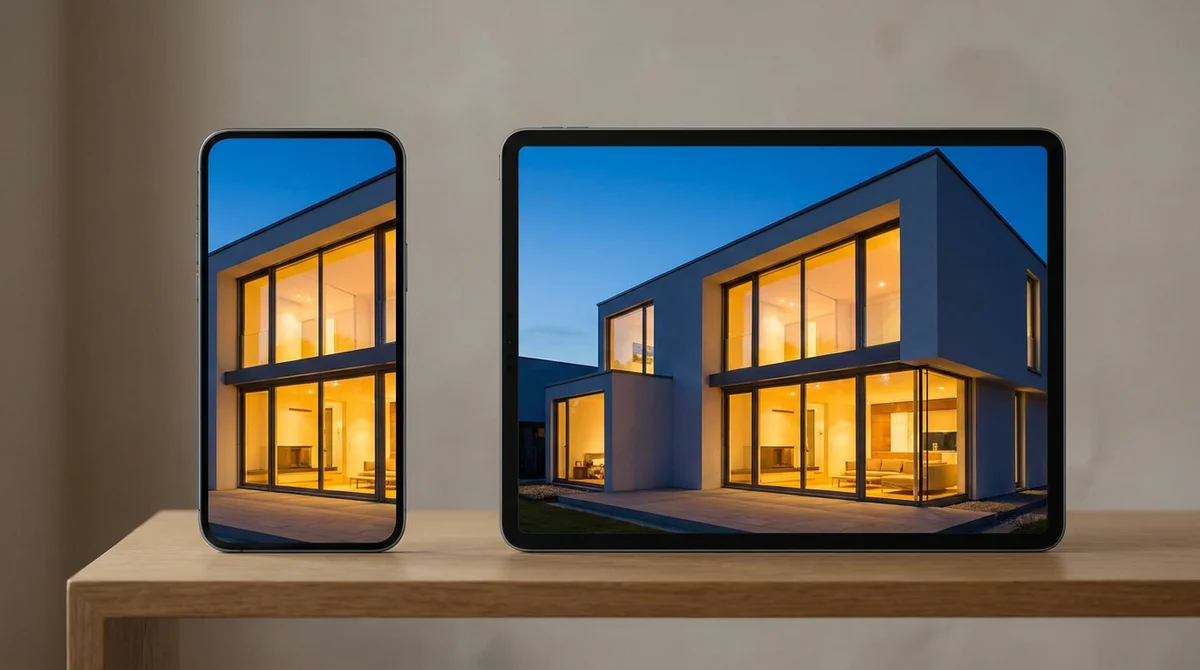
The single most common mistake agents make is exporting one video and force-fitting it everywhere. Every channel crops differently, and a horizontal video center-cropped into a square for Instagram usually chops off the ceiling and the floor, the two things that make a room look spacious.
Decide your aspect ratios before you start editing, not after:
| Channel | Aspect ratio | Ideal length | Notes |
|---|---|---|---|
| MLS / listing site | 16:9 | 60-90 sec | Full property walkthrough, widest reach |
| YouTube | 16:9 | 60-120 sec | Doubles as an embeddable link for your listing description |
| Instagram Reels | 9:16 | 15-30 sec | Open with your strongest shot in the first 2 seconds |
| TikTok | 9:16 | 15-30 sec | Same cut as Reels usually works with minor trims |
| Instagram feed post | 1:1 or 4:5 | 15-30 sec | Feed posts favor taller 4:5 for more scroll real estate |
Most listings are worth producing in at least two formats: one horizontal cut for the MLS and property website, and one vertical cut for social. If you're only going to make one, make the vertical one, more of your audience is scrolling a phone than browsing a desktop MLS.
Writing a Script That Sells the Property
A listing video script is not a real estate listing description read aloud. It's shorter, punchier, and built for the ear, not the eye. If you already have a strong written listing, pull the best three or four lines and build around them rather than narrating it verbatim.
Structure that works for a 60-second video:
- Open with the hook, not the address. "A chef's kitchen with a 10-foot island" beats "Welcome to 412 Maple Street." Save the address for the end card or caption.
- Two or three concrete details per major room. Square footage, a renovated feature, natural light, storage. "Oversized primary suite with a walk-in closet" does more work than "spacious bedroom."
- Close with the number that matters. Price, or a call to action like "schedule your private showing today."
A 60-second script runs about 130-160 words at a natural speaking pace. Read it aloud before you record or generate the voiceover, anything that trips your tongue will trip the listener's ear too.
Write a 60-second real estate listing video script for a [bed]bd/[bath]ba [property type] at [address]. Price: $[price]. Square footage: [sqft]. Standout features: [feature 1], [feature 2]. Open with the strongest feature, not the address. Include 2-3 concrete details for each of: exterior, living area, kitchen, primary bedroom. Close with the price and a call to schedule a showing. Keep it under 160 words and write for a voiceover, not for reading.
The Three Ways to Make a Listing Video Today
Once you have photos and a script, there are three realistic ways to turn them into a finished video.
| Approach | Time per listing | Typical cost | What you need to bring |
|---|---|---|---|
| Hire a videographer | 2-5 days (shoot + edit turnaround) | $300-$500+ per listing | A scheduled shoot, weather cooperation, editing revisions |
| Generic video editor (CapCut, Premiere, etc.) | 1-3 hours of your own time | Free-$20/mo | Your own editing skill, stock music licensing, manual voiceover |
| AI listing-video tool (e.g. RoomLift Compose) | Minutes | Fraction of a videographer shoot | Just the photos you already have |
A videographer produces the highest ceiling on production value, but it means scheduling a shoot around the property's availability, waiting on turnaround, and paying per listing regardless of whether that listing sells in a week or sits for months. It makes sense for a hero listing; it doesn't scale to every listing you take.
A generic video editor is free or nearly free, but it hands you a blank timeline. You're the one trimming clips, syncing music, recording or hiring a voiceover, and exporting three separate aspect ratios by hand, a real option if editing is a skill you enjoy, a time sink if it isn't.
The third path is generating the video from photos you already have. This is what RoomLift's Compose is built for: import listing photos and details directly from a listing URL, or upload them manually, then let AI camera motion turn each still into a moving shot, add an AI voiceover reading your script, and layer in AI-generated background music matched to the property. Pick the aspect ratio (16:9, 9:16, 1:1, or 4:5) per export, so the same source photos produce your MLS cut and your Reels cut without re-editing from scratch.
Turn your listing photos into a polished property tour video in minutes with Compose.
Stage your first room in 20 seconds. No design skills needed.
From Photos to Finished Video: The Actual Workflow
Here's what the process looks like end to end when you're not hiring anyone or opening a traditional timeline editor yourself.
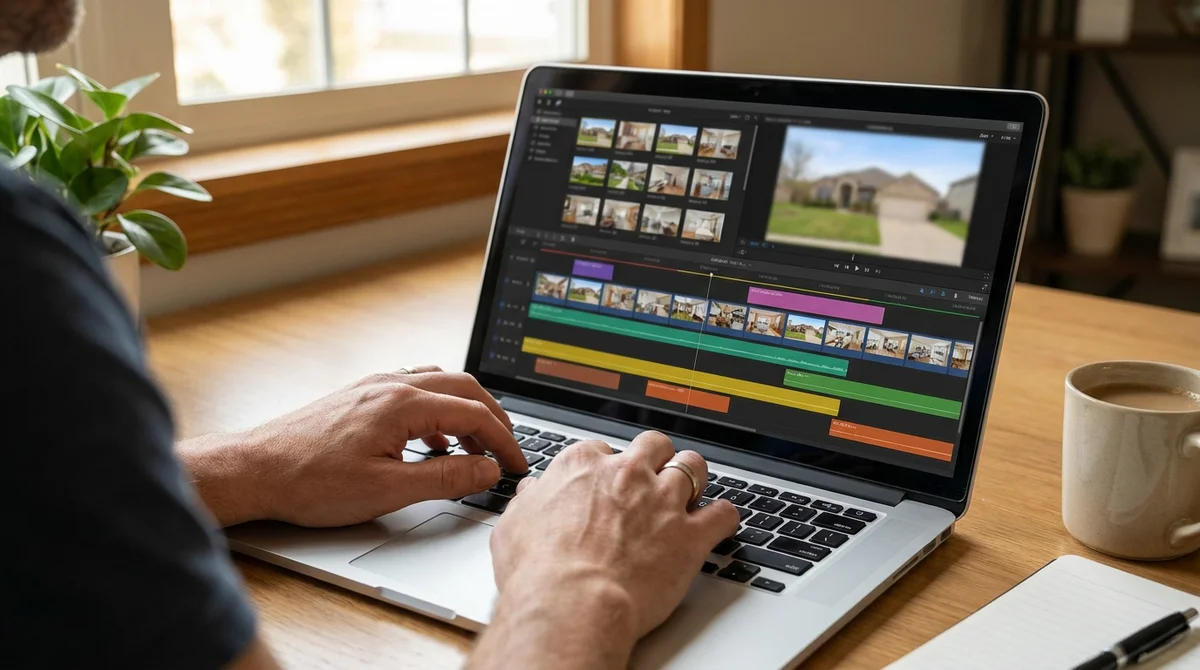
1. Bring in your photos. Upload them directly, or pull them in along with the address, price, and description straight from the listing URL if it's already live.
2. Pick a preset and aspect ratio. A property-tour preset sequences rooms in a sensible order (exterior, living areas, kitchen, bedrooms, bath). Choose 16:9 for the MLS cut first.
3. Let AI camera motion animate the stills. Each photo becomes a smooth panning or dolly-style shot sized to the room; a small detail like a kitchen faucet or walk-in closet can even become its own generated close-up shot from the same source photo.
4. Add your script as an AI voiceover. Drop in the script you wrote (or the prompt above) and generate a voiceover in a tone that matches the property, warm for a family home, polished for a luxury listing.
5. Add AI-generated background music. Music matched to the property's mood does more for perceived production value than almost anything else in the edit, and it's the detail most DIY videos skip entirely.
6. Export per channel. Re-export the same timeline at 9:16 for Reels and TikTok and 1:1 or 4:5 for the Instagram feed, without rebuilding the edit from scratch.
Music and Captions: The Details That Separate Amateur From Polished
The gap between a video that looks homemade and one that looks agency-produced usually comes down to two small things: music and captions, not the photos themselves.
Music sets the pace. A tour with no music feels like a security camera recording; generic royalty-free music feels like every other listing video on the market. Music matched to the property, slower and more ambient for a calm suburban home, more energetic for a modern condo, makes the same footage feel considered rather than default.
Captions extend your reach. Most social video is watched with the sound off first. If your voiceover carries the property's key details and there's no caption track, a large share of your audience misses the pitch entirely. Even simple auto-generated captions recover that audience.
Neither requires new footage or a bigger budget, just remembering to include them, which is exactly what a workflow with music and voiceover baked in solves by default.
Common Mistakes to Avoid
- One aspect ratio for every platform. A 16:9 video letterboxed into a 9:16 feed looks like an afterthought. Export per channel.
- Burying the hook. If the first two seconds are a slow exterior zoom, a scrolling viewer is gone before you reach the kitchen. Lead with your strongest room.
- No captions. Sound-off viewing is the default on social, not the exception.
- Music louder than the voiceover, or no music at all. Both read as unfinished.
- Treating video as a once-a-quarter project. If it takes a full afternoon per listing, it only happens for your best ones. If it takes minutes, every listing becomes a piece of content.
For a broader look at where video fits into your marketing mix, see our guide to real estate video marketing. For tools beyond video, our roundup of best AI tools for real estate agents covers staging, photo editing, and lead generation.
Putting It Together
A real estate listing video doesn't require a production budget or a videography contract. It requires the photos you already have, a short script that leads with the property's strongest feature, and a tool that handles camera motion, voiceover, and music so you're not hand-editing a timeline for every listing. Set your aspect ratios up front, one for the MLS, one for social, and you'll get a finished video in minutes instead of a shoot scheduled for next week.
The agents treating every listing as content are the ones showing up more often in a buyer's feed, without adding a videographer's invoice to every closing.
Frequently Asked Questions
How do I make a real estate listing video without a videographer?
Upload your existing listing photos to a real estate video maker like RoomLift's Compose, pick a video preset and aspect ratio, and let AI camera motion turn the stills into moving shots. Add an AI voiceover and background music, then export in the format each channel needs. The whole process typically takes minutes instead of the days a videographer shoot requires.
What's the best aspect ratio for a real estate listing video?
Use 16:9 for the MLS and YouTube, 9:16 for Instagram Reels and TikTok, and 1:1 or 4:5 for Instagram feed posts. Most listings need at least two versions, a horizontal cut for the MLS and property website, and a vertical cut for social. Cropping one video to fit every platform usually cuts off the parts of the room that sell it.
How much does a real estate listing video cost?
A videographer-shot listing tour typically runs $300 to $500 per property, on top of your photography cost. Generic video editing apps are free to low-cost but require you to shoot, edit, and voice everything yourself. AI tools that generate video from your existing listing photos cost a fraction of a videographer shoot and finish in minutes, not days.
How long should a real estate listing video be?
Keep MLS and YouTube listing videos between 60 and 90 seconds, long enough to walk through the main rooms without losing attention. Social cuts for Reels and TikTok should run 15 to 30 seconds and open with the strongest shot in the first two seconds, since that is where most viewers decide to keep watching or scroll past.
Do I need to reshoot video if I already have listing photos?
No. AI camera motion tools can animate your existing listing photos into smooth panning and dolly-style shots without a second visit to the property. This works especially well for listings where the photographer has already left, or for agents who only have stills from an MLS import.
What should a real estate listing video script include?
Open with the property's strongest selling point in the first line, not the address. Follow with two or three concrete details per room (square footage, a renovated feature, natural light), then close with the price point or a call to schedule a showing. A 60-second script is usually 130 to 160 words at a natural speaking pace.
Ready to transform your listings?
Stage your first room in 20 seconds. No design skills needed.