AI vs Traditional Architectural Rendering: 2026 Comparison
May 30, 2026 · 6 min read
AI vs traditional architectural rendering, compared honestly: cost, speed, accuracy, and exactly when to use each in your 2026 design workflow.
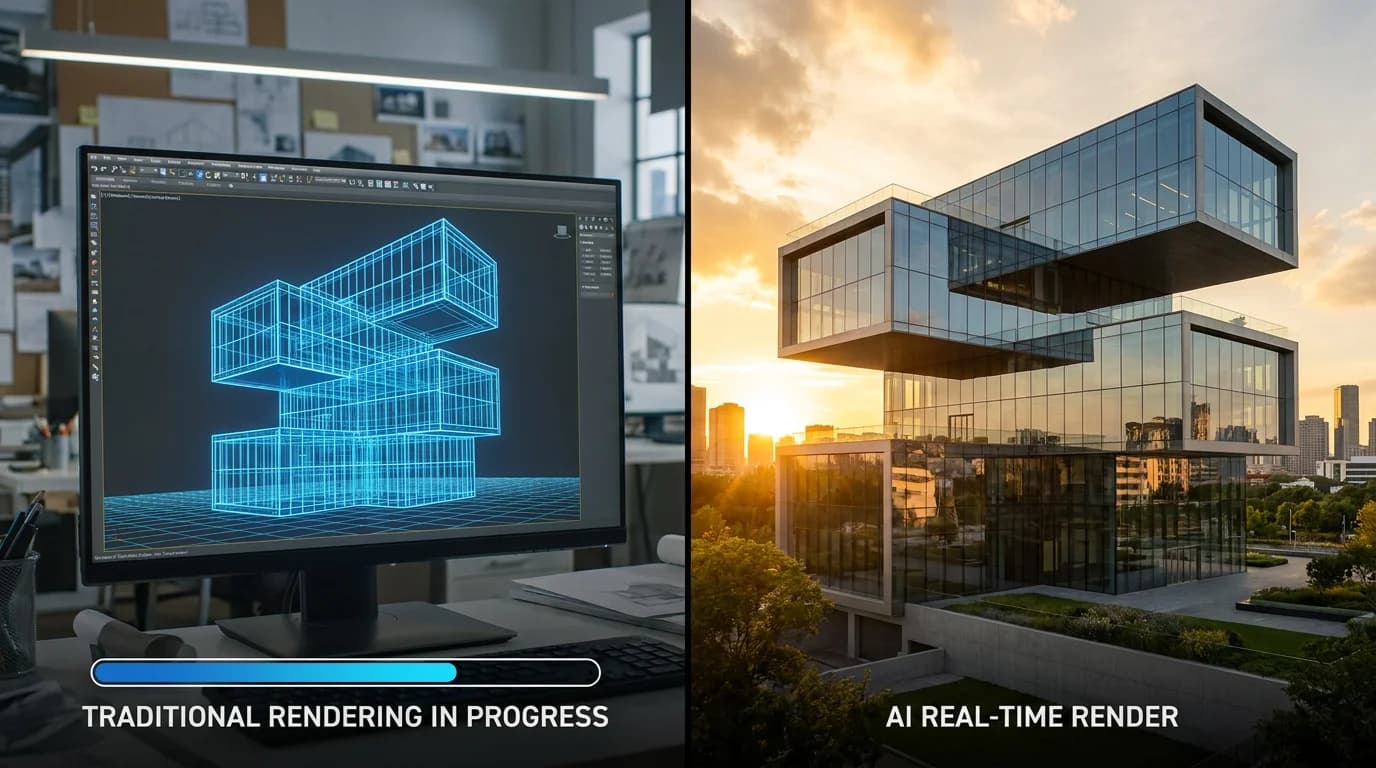
For thirty years, an architectural render meant one of two things: a slow, expensive commission from a visualization studio, or hours of your own time wrestling with V-Ray, Enscape, or Lumion. Both produced beautiful, accurate images. Both were too slow and too costly to use freely during design.
AI rendering broke that constraint. A concept visual that used to take days and hundreds of euros now takes seconds and a monthly subscription. But "AI is faster and cheaper" is only half the story. The real question in any AI vs traditional architectural rendering decision is when each approach wins. This is an honest breakdown.
If you want to compare specific products first, see our guide to the best AI rendering software for architects. This article is about the decision underneath that choice.
What "Traditional Rendering" Actually Means
Traditional architectural visualization builds a precise 3D model, assigns real materials, and uses a physically based engine to calculate how light bounces through the scene. Tools like V-Ray, Enscape, Lumion, and Corona simulate reflection, refraction, and global illumination to produce images that are accurate down to the shadow.
That accuracy is the whole point. A traditional render reflects your exact geometry, so it can be trusted for planning, construction, and final marketing. The cost of that accuracy is time, money, and hardware.
What AI Rendering Does Differently
AI rendering does not calculate light. It generates a plausible photorealistic image from an input — a 3D model, a sketch, or a photograph — guided by prompts and presets. It is not simulating physics; it is producing something that looks right.
That difference explains both its strengths and its limits. Because it is not solving geometry, it is dramatically faster and runs on ordinary hardware in the cloud. And because it is not solving geometry, it cannot guarantee that a window is exactly where you drew it.
Head to Head: AI vs Traditional Rendering
| Factor | AI Rendering | Traditional Rendering |
|---|---|---|
| Cost per image | Effectively €0 within a subscription | €500–€2,000 outsourced; high software + hardware cost in-house |
| Speed | Seconds to ~1 minute | 20 min – several hours of compute, plus setup; 1–4 weeks outsourced |
| Hardware | Standard computer, cloud processing | High-end GPU, multi-core CPU, 32GB+ RAM |
| Learning curve | Minutes | Weeks to months |
| Geometric accuracy | Approximate | Exact |
| Material precision | Inferred | Specified |
| Revisions | Instant, free | Re-billed or re-rendered |
| Best stage | Concept, mood, presentation | Construction, planning, final marketing |
The Cost Difference Is Not Subtle
For a typical project requiring 10–20 visualizations, traditional rendering costs run from thousands to tens of thousands of euros once you count revisions. The same set of concepts produced with AI costs a single month's subscription — a saving in the range of 90–99% on render spend.
The in-house picture is similar. Running V-Ray or Lumion well requires a workstation that many firms replace every 18 months to keep pace, plus the licenses and the staff hours to operate them. AI rendering platforms push the heavy processing to the cloud, so a standard laptop and an internet connection are enough.
The saving is real, but the smarter way to think about it is not "AI is cheaper." It is "AI is cheap enough to use during design, not just at the end of it." When a render costs nothing and takes seconds, you stop rationing visuals and start using them to think.
Speed Changes the Design Conversation
The most underrated benefit of AI rendering is not the cost — it is what instant feedback does to a client meeting.
With traditional rendering, you present a fixed set of images and then defend them. With AI rendering, you can respond live. A client says "warmer materials, and show it at dusk" and you generate the new version while they watch. That dynamic, in-the-room iteration closes approvals that static images cannot. It is the single thing architects notice first when they switch.
Where Traditional Rendering Still Wins
AI rendering does not replace traditional visualization. There are clear cases where the older approach is still the right one:
- Construction documentation where the image must match the build exactly.
- Planning and permitting submissions that require verifiable, accurate representations.
- Final marketing for built or contracted projects, where a specified material and exact geometry are contractually meaningful.
- Complex custom geometry where approximate inference is not good enough.
For these, the precision of a physically based engine is worth the time and cost. Trying to force AI into them creates risk, not savings.
The 2026 Workflow Most Firms Land On
The practices getting the most value are not choosing one or the other. They run a two-stage workflow:
Early and client-facing stages — AI rendering. Massing studies, facade and material directions, interior atmosphere, dusk and context shots, and live client presentations. Speed and iteration matter more than precision here, and that is exactly where AI is strongest.
Final and technical stages — traditional rendering. Once the design is locked and accuracy is contractual, move to V-Ray, Enscape, or Lumion for the deliverables that demand it.
Where does a photo-based tool fit? If your early-stage inputs are photographs — site shots, an existing building, a physical study model, or a render you want to restyle — a tool like RoomLift produces presentation-grade exterior and interior concepts in 10–20 seconds at up to 4K, with day-to-dusk and sky-replacement presets for context shots. It will not render an unbuilt design from a model or a sketch, so it complements rather than replaces your model-based pipeline. Used at the concept and presentation stage, it removes the cost and delay that used to keep renders out of early design entirely.
Produce client-ready concept renders from your project photos in seconds — try RoomLift free
Stage your first room in 20 seconds. No design skills needed.
The Bottom Line
AI rendering is faster, cheaper, and good enough to win approvals — at the concept and presentation stage. Traditional rendering is slower and more expensive, and remains essential for accuracy at the construction and final-marketing stage. The architects winning in 2026 are not picking sides. They use AI to explore and present, and traditional engines to finalize — and they have stopped paying studio rates for images they now generate themselves in seconds.
See how fast photo-based concept rendering can be — start your RoomLift free trial
Stage your first room in 20 seconds. No design skills needed.
Sources & References
- Visoid (2025). AI vs Traditional Architectural Rendering: What's the Difference in 2025?. Visoid Blog.
- ArchiVinci (2025). AI Rendering vs Traditional Rendering: Which Is More Efficient?. ArchiVinci Blog.
- ArchDaily (2025). How AI-Powered Rendering Crushes Bottlenecks in Architecture and Interior Design. ArchDaily.
- Chaos (2026). Best AI rendering tools for architects compared. Chaos Blog.
Ready to transform your listings?
Stage your first room in 20 seconds. No design skills needed.